📌 Bow-lletins
A single, organized, and searchable platform for UH Mānoa campus information — jobs, events, internships, study groups, and more.

A single, organized, and searchable platform for UH Mānoa campus information — jobs, events, internships, study groups, and more.
Students at UH Mānoa often miss opportunities because information is scattered across bulletin boards, emails, and social media. Bow-lletins solves this by providing a single, organized, and searchable platform for campus information. Users can post, browse, save, and RSVP to flyers for jobs, events, internships, volunteer opportunities, study groups, clubs, and more.
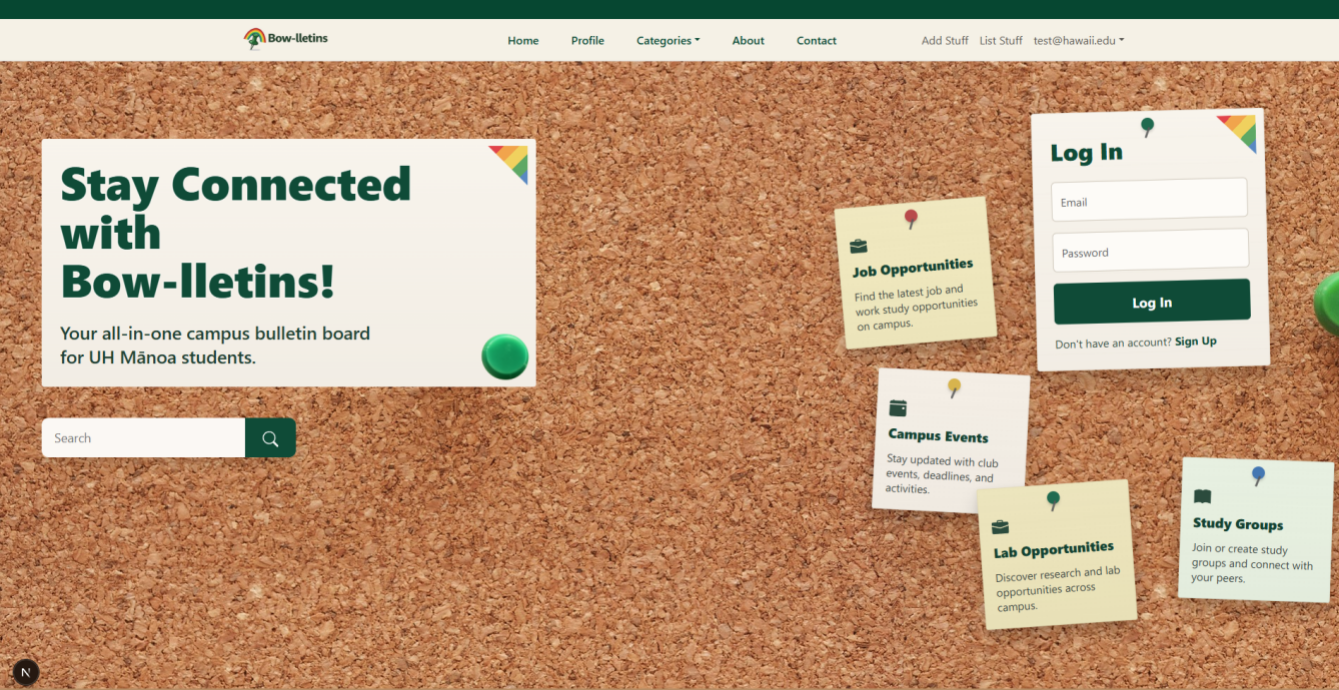
The first page a visitor sees. The color scheme reflects UH Mānoa school colors. Users can log in directly from this page or navigate to sign up.
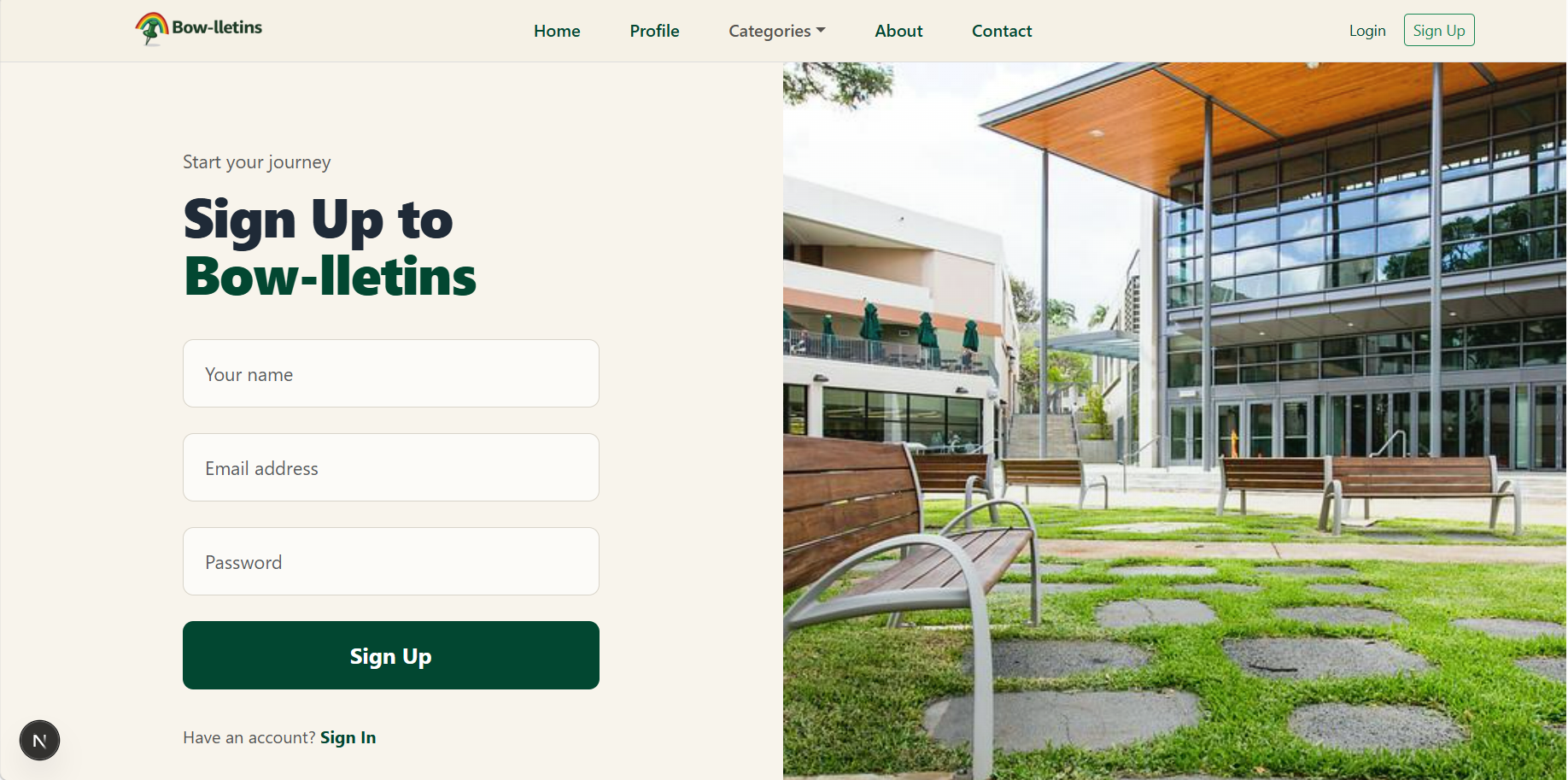
New users register with a name, username, email, and password. Passwords must be 8+ characters and include uppercase, lowercase, a number, and a special character.
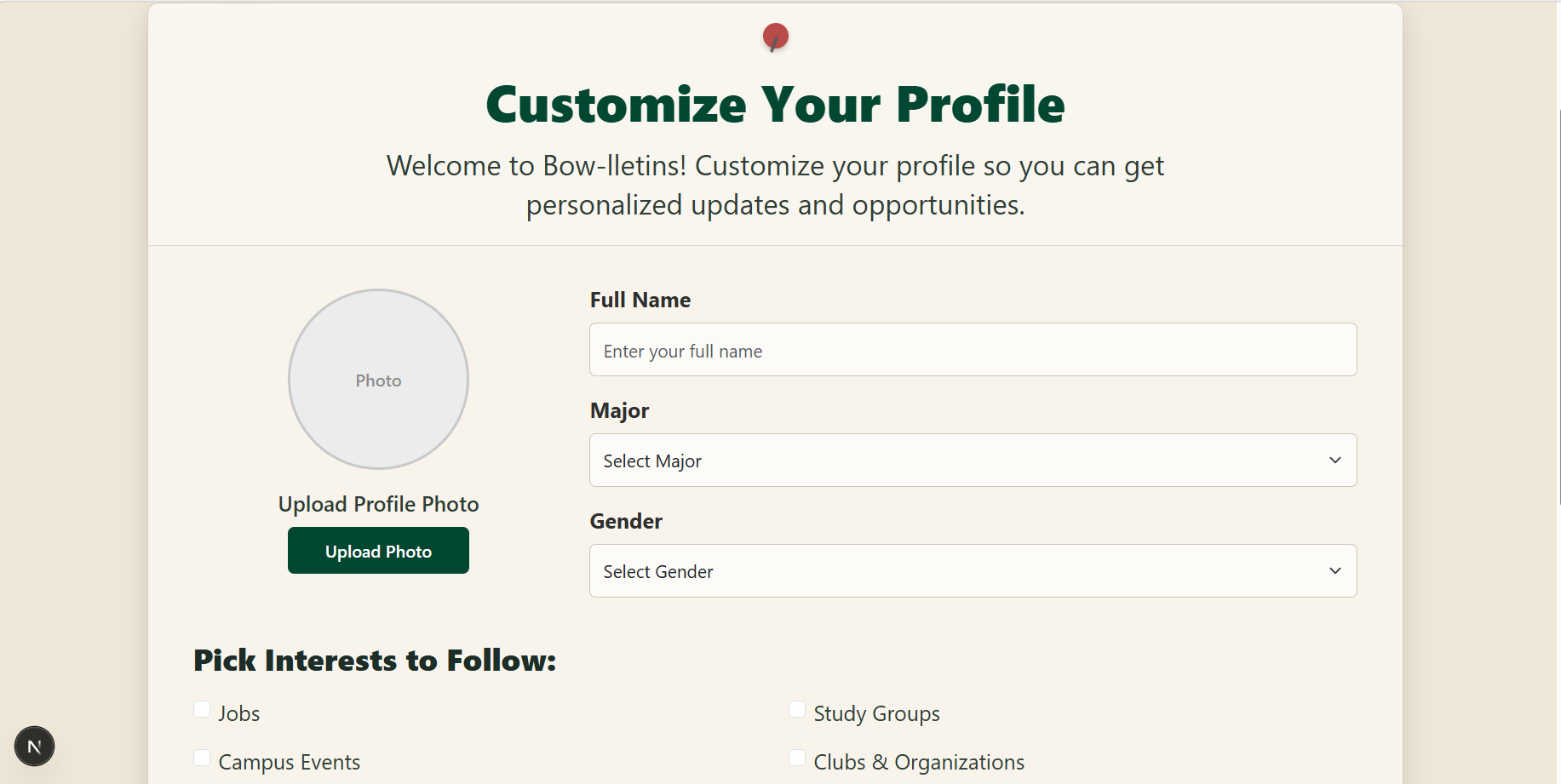
After signing up, users can set their major, display name preference, and profile avatar.
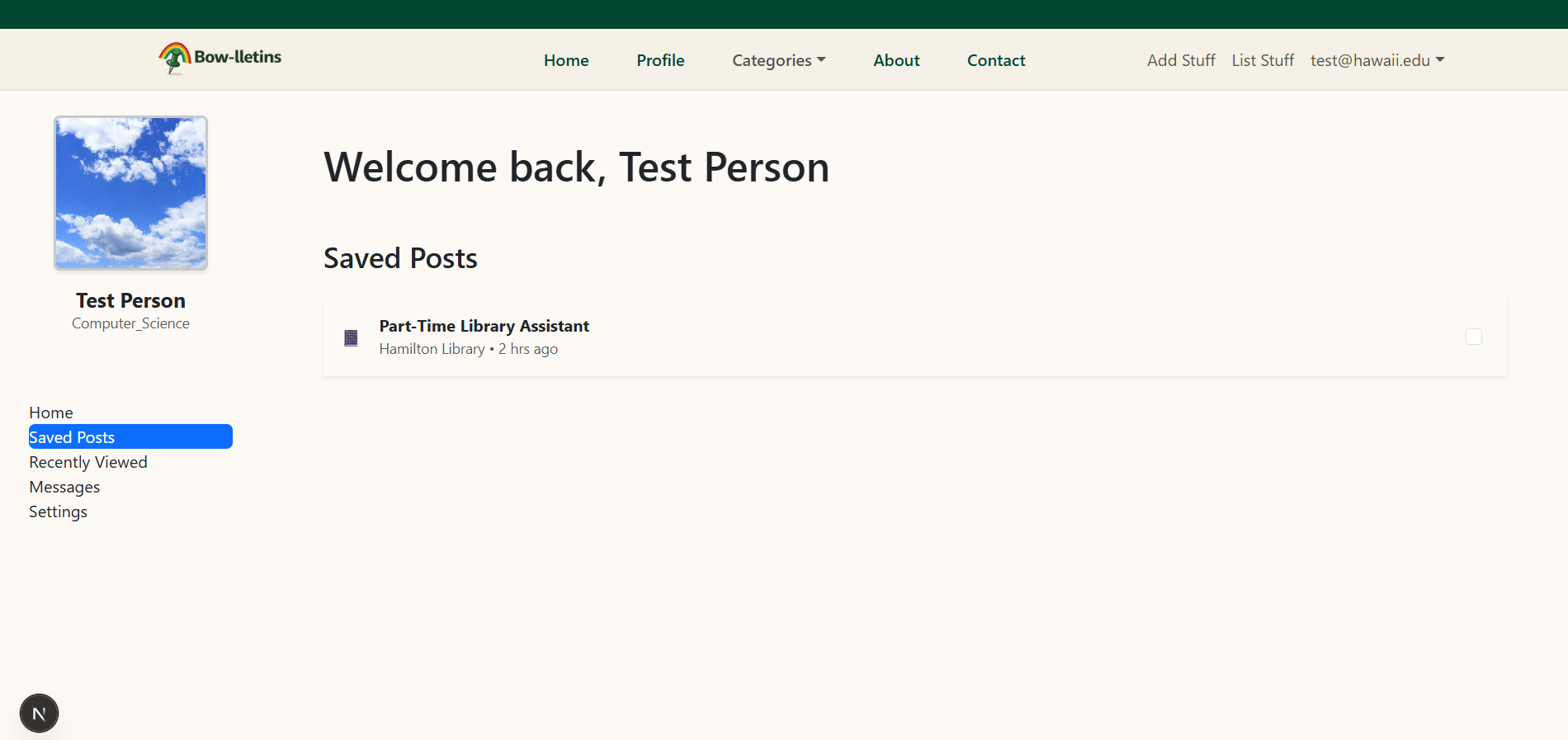
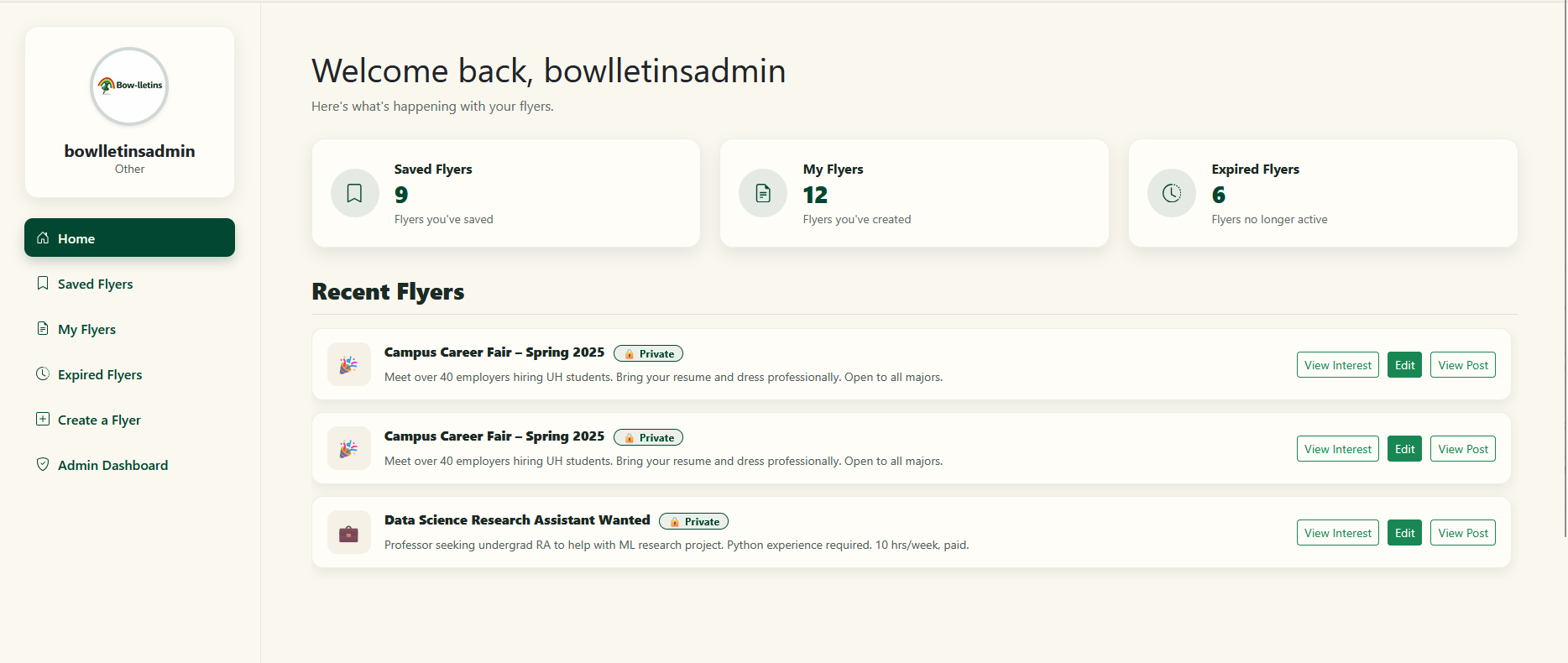
The profile card shown in the dashboard sidebar with avatar, name, and major.
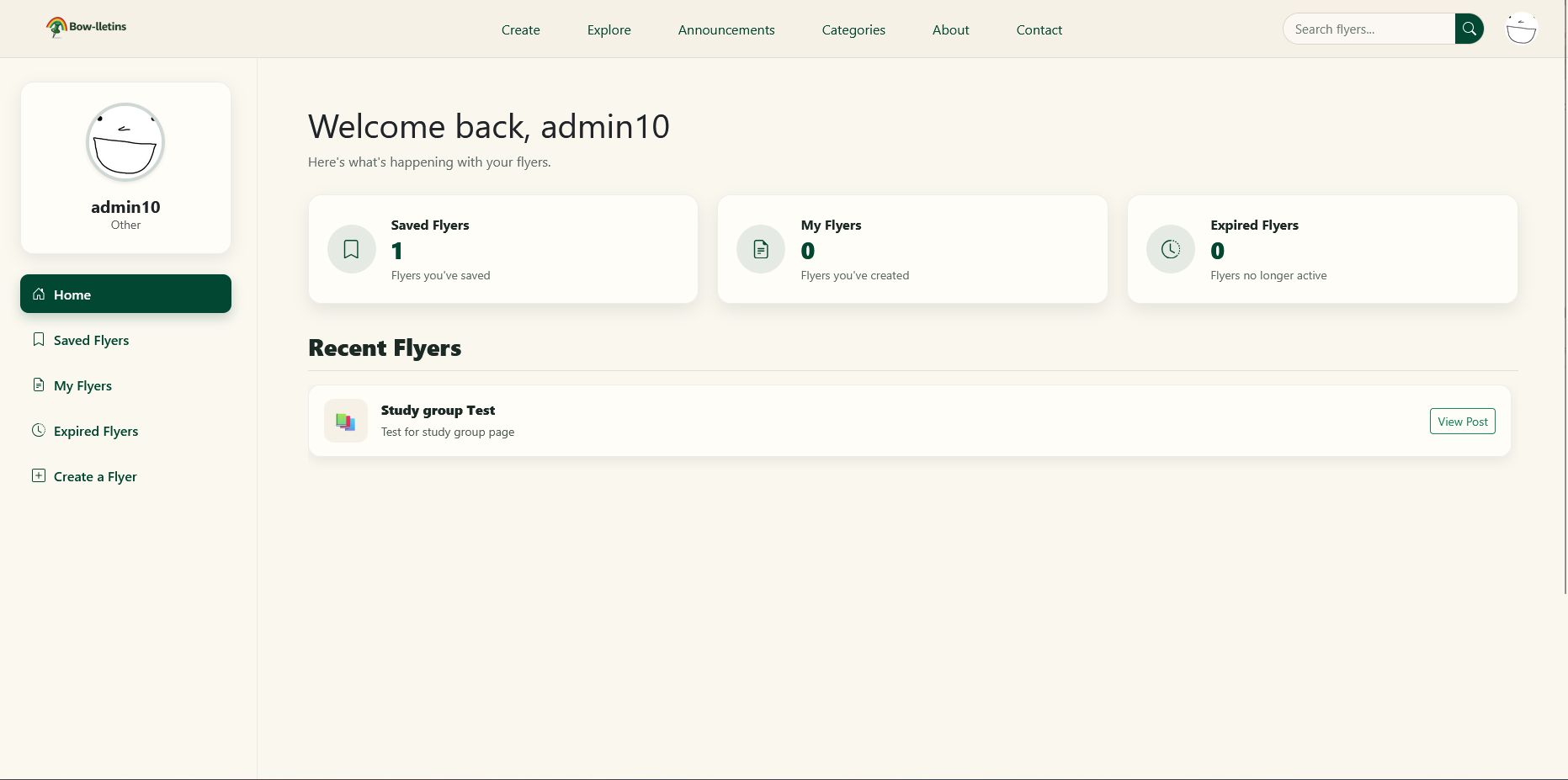
Authenticated users are brought here after logging in. The sidebar shows the user's avatar, name, and major with navigation tabs.
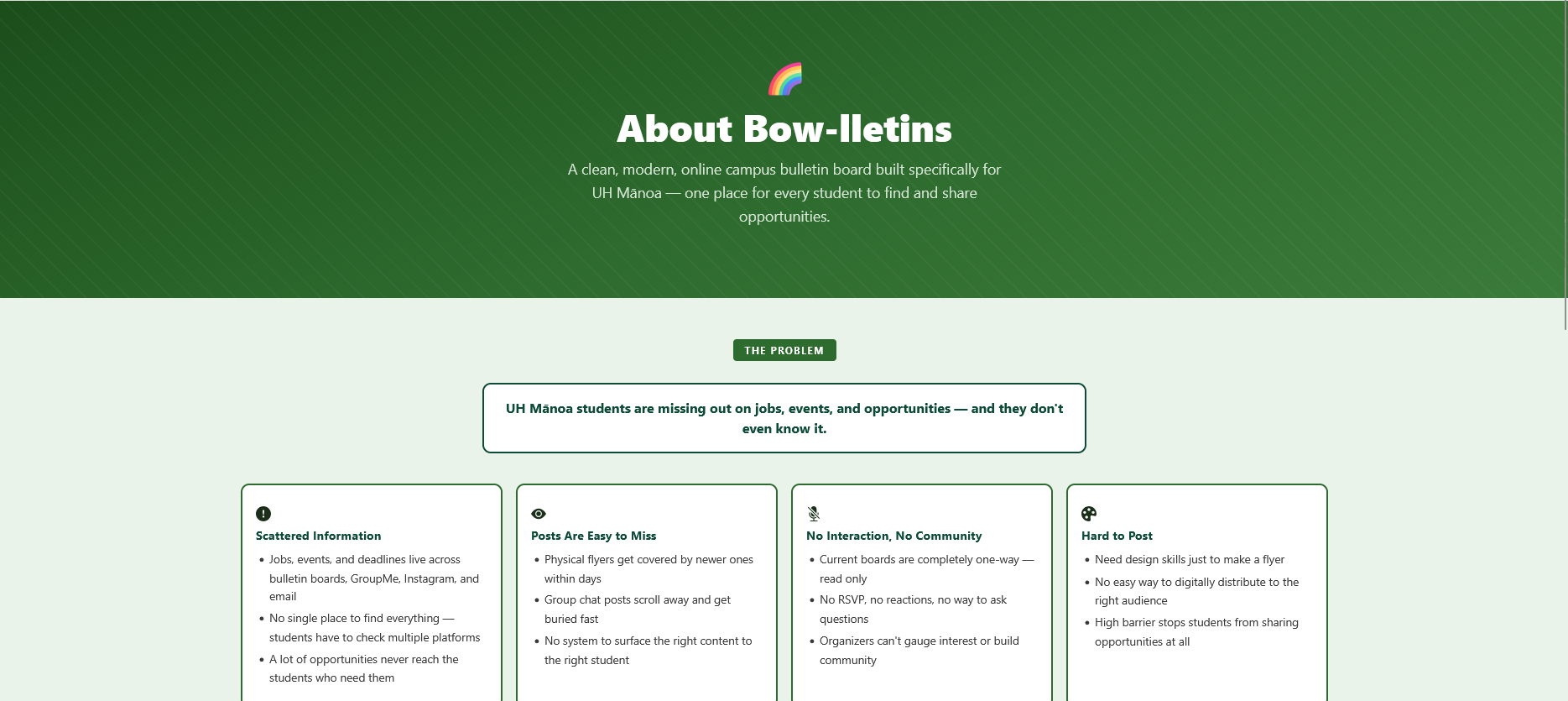
Explains the problem Bow-lletins solves, the team's vision, and the platform's goals. Includes problem cards and feature vision cards.
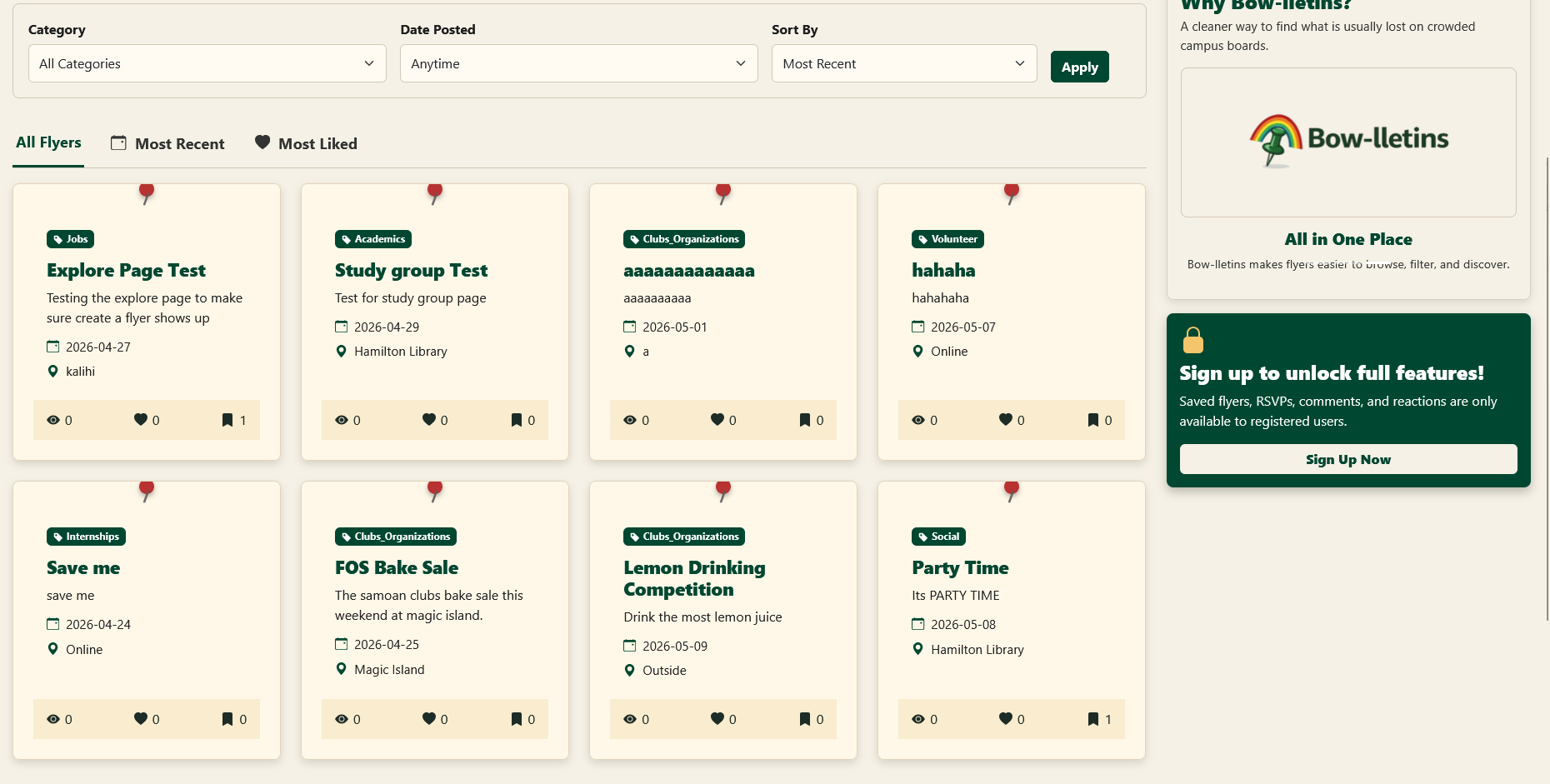
Browse all active flyers in one place. Filter by category or date posted, sort by Most Recent or Most Liked. Three tabs: All, Recent, and Liked. Results are paginated (8 per page on desktop, 4 on mobile).
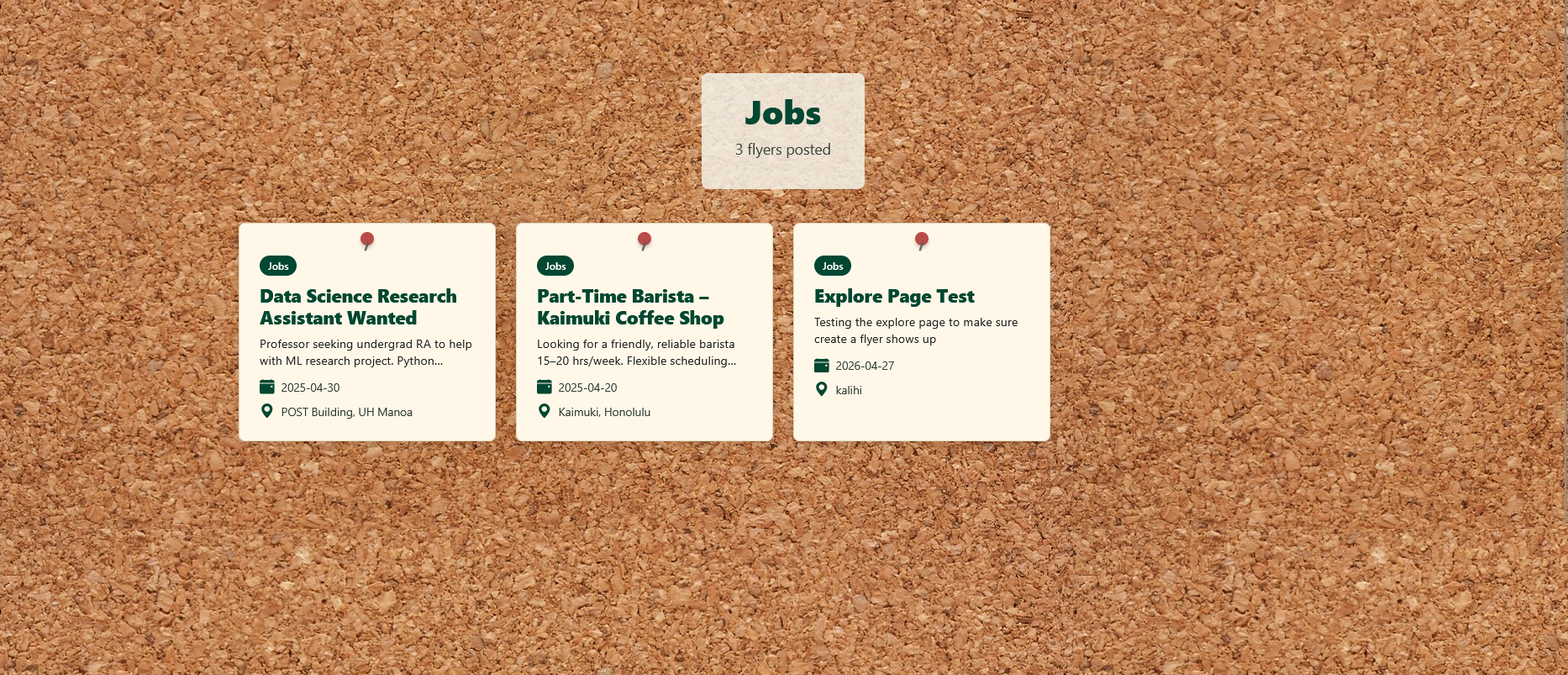
Flyers are organized into 8 categories. Clicking a category opens a filtered page showing only flyers in that category.
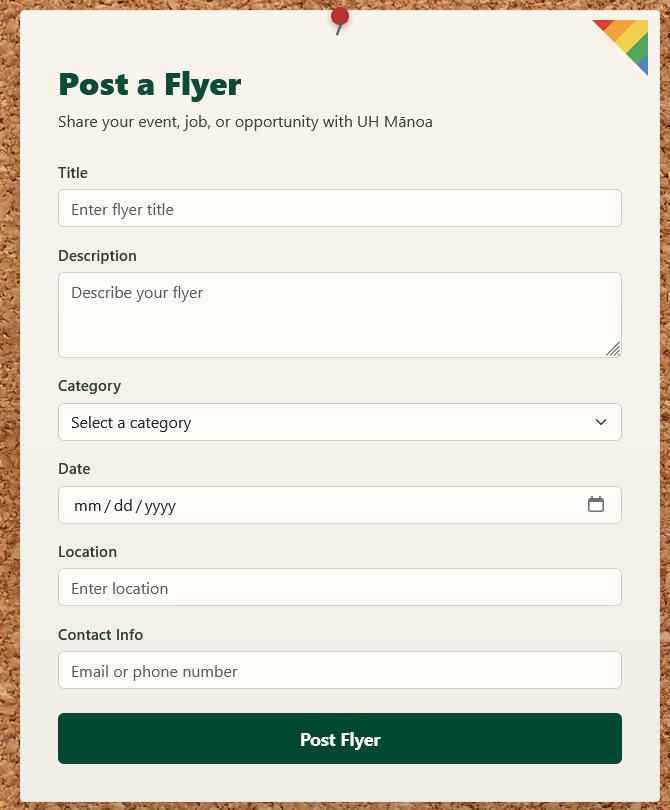
Signed-in users can post a flyer with title, description, category, date, location, and contact info. Includes a color picker with 6 pastel presets and a privacy toggle (private flyers are only visible to the owner).
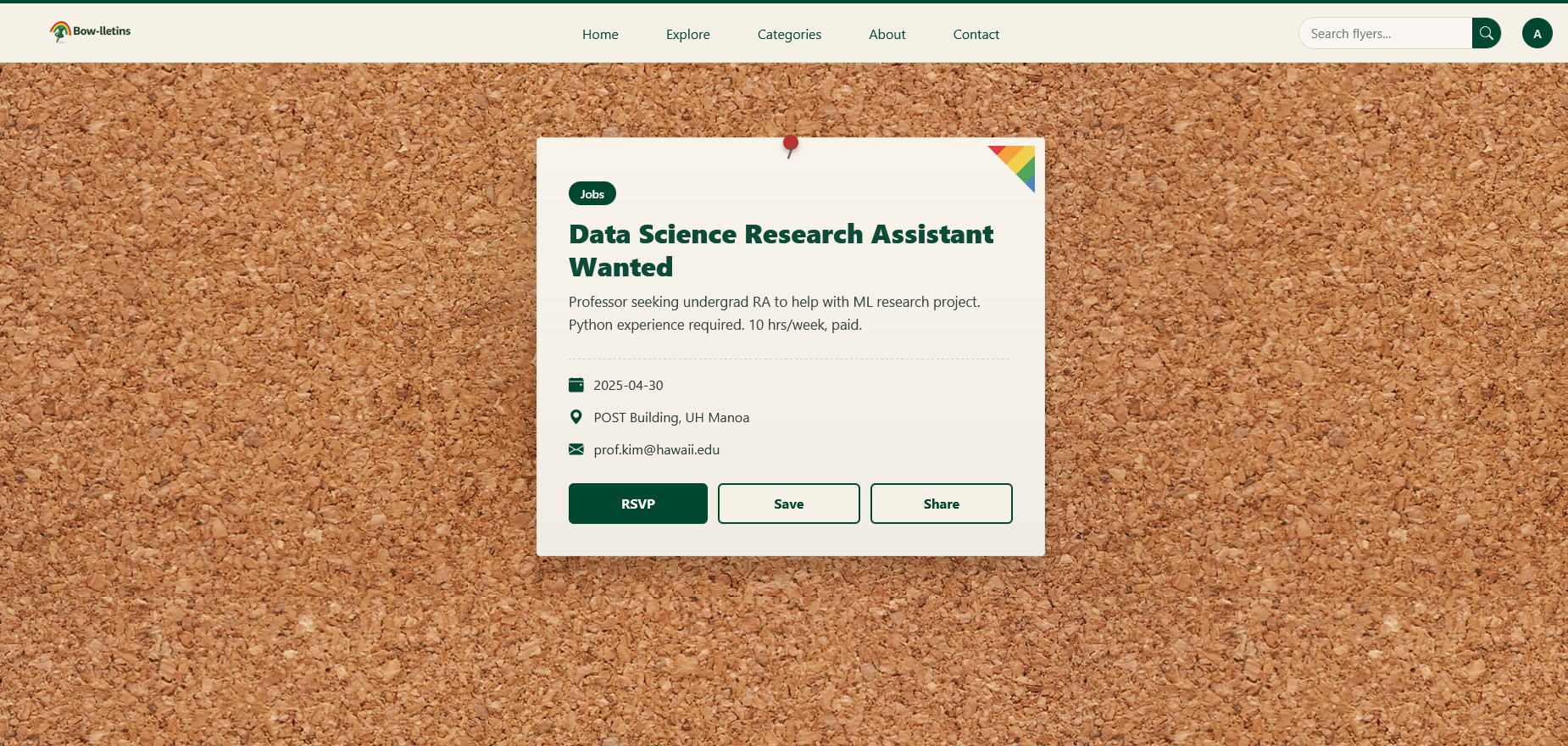
Full detail view with all flyer fields. From here users can Save, RSVP, or Share the flyer. Flyer owners also see Edit and View Interest buttons — View Interest shows the full RSVP list with name, email, and major.
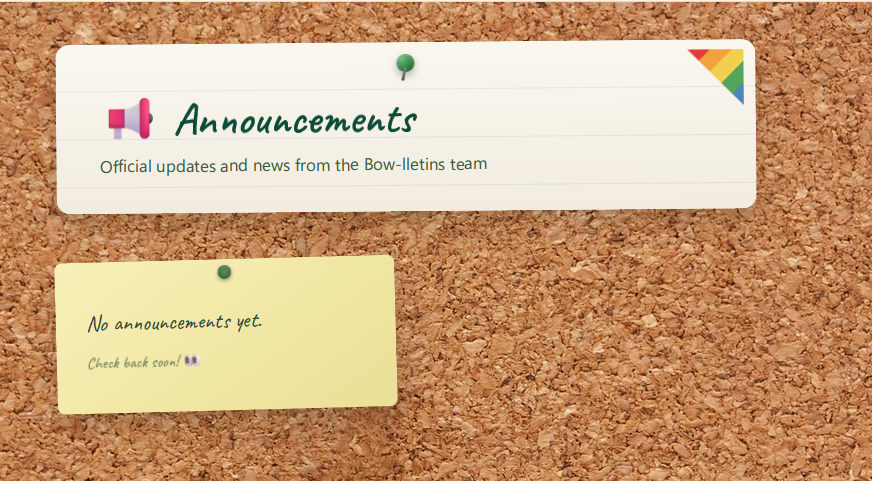
Authenticated users can view site-wide announcements posted by admins, displayed as colorful sticky notes with a handwritten font. Each note shows title, body, date, and an Admin badge.
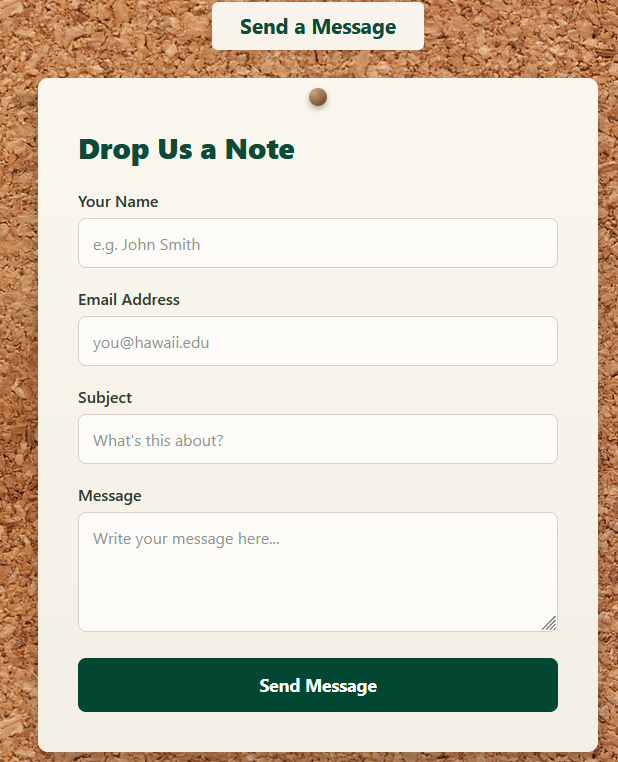
Any visitor can submit a message to the team via a contact form. The page also displays team member cards with each person's role and email.
These pages are only accessible to users with the Admin role.
Admin accounts access a protected dashboard with stat cards: total users, total flyers, total saves, and unread contact messages.

View all registered users with their ID, name, email, major, and role.
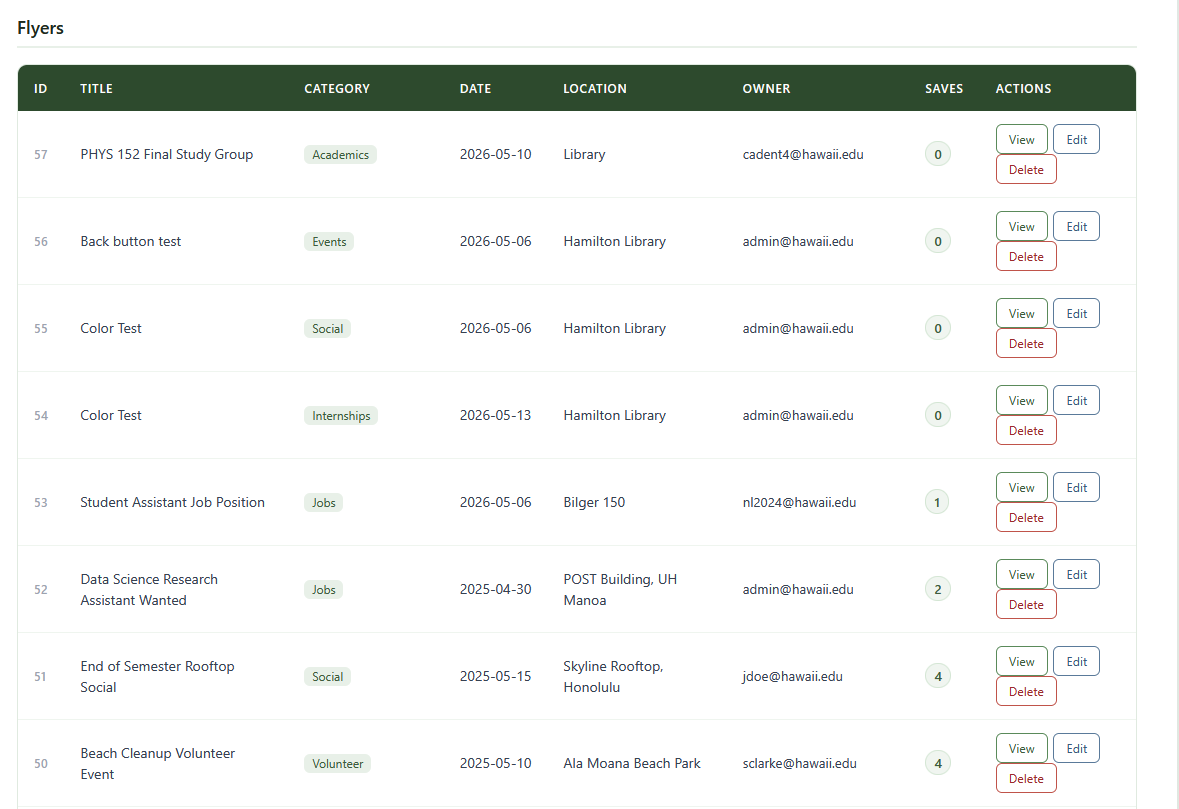
View, edit, or delete any flyer on the platform regardless of who created it.

Read all contact form submissions. Messages are marked as new or read.
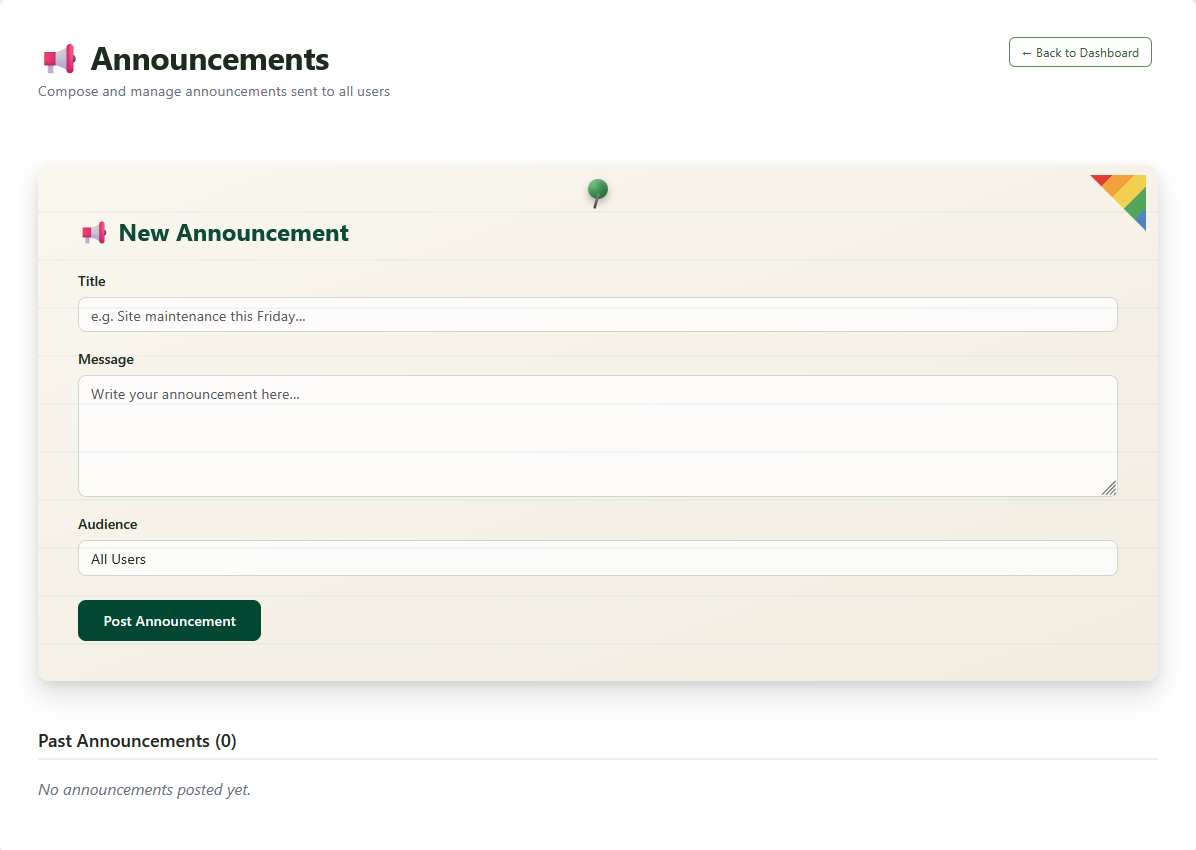
Compose and delete site-wide announcements. Posted announcements appear to all logged-in users on the Announcements page.
We had 5 community members from UH Mānoa test the application and provide feedback.
"Fantastic design and direction. Without any help or guidance, I can navigate the website very easily and it feels very intuitive and innovative. Despite being a work in progress, a lot of the function tools seem very easy to use. If I was a grandpa, I could still navigate this website very easily. One of the most beautiful things I have ever seen."
"I absolutely love the user interface design as it is neat and orderly, and it very much aligns with the university's theme. The RSVP function is such a great feature for the hosts and the expired flyers sections really keeps the site up to date! On another note, something that may be useful for the flyer creation aspect is to allow users to upload images within their posts, especially if they have already made a poster or flyer outside of the website."
"I love how I can access the site from my phone and get the same functions as I would on a computer. I would love if we are able to select how many flyers are displayed on a page at once as cicking the next button can be tiring."
"The website is very user friendly, clearly stating the functions of each button and easy to navigate. The overall functionality of the site is useful in terms of finding information and meets the bare minimum and more of what you would expect of a website. A few things I would recommend to add to the site is notifications for whenever a post that they have saved/subscribed to updates or a notification when a certain type of posting is added."
"The theme of the site is great with the bulletin board theme. It makes it fun to explore different fliers and posts. However, fixed to some security issues need to be made."
"I like the UH color theme. I really like the share button!!!! I also liked your contact us page. Honestly I think everything is good except the view issue on the main page when on mobile."
"This website has a lot of potential. One suggestion I would make is implementing a color-coded system for different categories of information. This would make the website more organized, visually engaging, and easier for users to navigate quickly.In addition, I believe the website could benefit from a more visually appealing design overall. Enhancing the layout, incorporating more cohesive design elements, and improving the overall aesthetic could make the site feel more polished and inviting for users. These changes would not only improve the user experience but also make the website stand out more effectively."
"I think the overall design is really nice. However, it would be more convenient if you had tabs rather than having a pop-up menu for mobile."
git clone https://github.com/bowlletins/Bowlletins.git
cd Bowlletinsnpm installCreate a .env file in the project root:
DATABASE_URL=postgresql://USER:PASSWORD@HOST:PORT/DATABASE
AUTH_SECRET=your_secret_here
AUTH_URL=http://localhost:3000
For email-based password resets, also add:
EMAIL_SERVER_HOST=smtp.example.com
EMAIL_SERVER_PORT=587
EMAIL_SERVER_USER=your@email.com
EMAIL_SERVER_PASSWORD=yourpassword
EMAIL_FROM=no-reply@bowlletins.comnpx prisma generate
npx prisma db push| Command | Description |
|---|---|
npm run dev | Start the development server |
npm run build | Build for production |
npm run start | Run the production server |
npm run lint | Run ESLint |
src/
├── app/
│   ├── about/             # About page
│   ├── admin/             # Admin dashboard and announcements manager
│   ├── announcements/     # Announcements page (auth required)
│   ├── auth/              # Sign up, sign out, forgot/reset/change password
│   ├── categories/        # Category browse + dynamic [category] pages
│   ├── contact/           # Contact form and team page
│   ├── create-flyer/      # Create flyer form
│   ├── explore/           # Browse all flyers with filters
│   ├── flyers/[id]/       # Flyer detail, edit, and RSVP list
│   ├── homeDashboard/     # User dashboard with tabs
│   └── profile/           # Profile settings
├── components/            # Reusable UI components
└── lib/                   # Auth config, server actions, page protection

prisma/
└── schema.prisma          # Database models and enums

public/
└── images/ # Static assetsAfter creating an account, run the following against your database:
UPDATE "User" SET role = 'ADMIN' WHERE email = 'your@email.com';| Model | Purpose |
|---|---|
User | Accounts with roles (USER / ADMIN), profile info, major |
Flyer | Bulletin posts with category, color, RSVP list, save list, privacy toggle |
Announcement | Admin-created site-wide messages |
ContactMessage | Contact form submissions with read/unread status |
PasswordResetToken | Tokens for email-based password resets |


